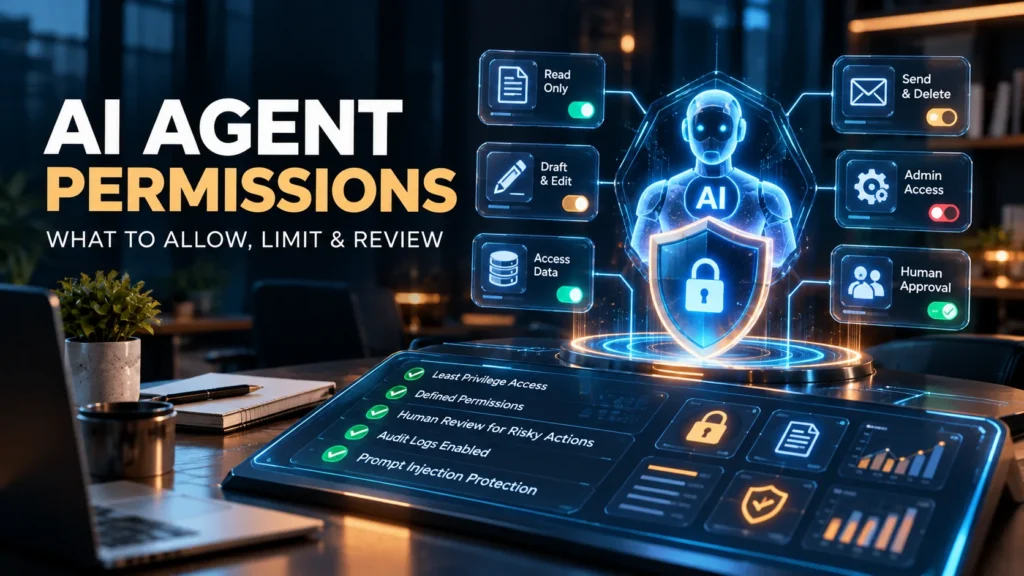
AI agents can save time—but the wrong permissions can turn a useful assistant into a business risk. If an agent can read your inbox, update customer records, publish to social media or trigger payments, it needs access to real systems. The goal of an AI agent permissions checklist is to give it enough access to complete its task without granting unnecessary powers.
This practical guide explains what small businesses should allow, restrict and review before connecting an AI agent to Gmail, Slack, Google Drive, a CRM, an online store or other workplace tools. It covers both the permissions granted through connected apps and the safeguards enforced inside your own automation.
Quick answer: Which AI agent permissions are safe?
There is no permission that is universally safe. The best starting point is read-only access to narrowly selected data, where that data is genuinely needed. Grant draft-creation or editing capabilities only for an approved workflow. Require explicit human approval for externally visible, irreversible, financial, administrative or sensitive-data actions.
Security experts describe this as least privilege or least agency: minimize the tools, data, autonomy and lifetime of access. OWASP also recommends enforcing tool permissions in the backend rather than trusting instructions written in a prompt alone.
AI agent permission levels: a decision table
| Permission | Example | Recommended default |
|---|---|---|
| Read | Read specified support tickets or product documentation | Allow only necessary sources and fields |
| Create drafts | Draft an email reply or a blog post | Usually reasonable with human review |
| Edit | Change an order note or CRM record | Limit to specific records and approved fields |
| Send or publish | Send customer emails or publish public content | Require approval or tightly defined policies |
| Delete or export | Delete files or export a customer list | Block by default; allow only exceptional, approved cases |
| Spend or administer | Move money, buy services or change user roles | Keep human-controlled with strong independent checks |
These are operational recommendations, not a guarantee that read-only access is harmless. Reading confidential information can itself be a serious privacy risk if data is sent to the wrong service, stored unexpectedly or exposed through a compromised workflow.
Step 1: Define one concrete job for the agent
Write a one-sentence objective before connecting an app. For example: “Every morning, summarize unread support emails from our shared support mailbox and propose replies for an employee to approve.” That job does not require the agent to delete email, access the owner’s personal mailbox or change security settings.
Document the specific data involved, the system that owns it, the employee responsible for the workflow, and the desired output. If you cannot explain why a permission is necessary, do not grant it yet.
Step 2: Separate reading, drafting, changing and executing
Many business tools combine multiple scopes under simple-looking connection screens. Review their actual capabilities carefully. “Manage email,” for instance, may cover both reading and sending messages, depending on the provider. If the integration cannot distinguish them, compensate with an approval layer, a dedicated limited account or a different connector.
Safer email example: The agent reads messages in a designated mailbox, generates a proposed response and saves a draft. A staff member checks the recipients and attachments before sending. The model cannot send independently.
Riskier email example: The agent can read every inbox folder, forward messages externally and permanently delete email without review. This gives an error or prompt injection far more impact than the summarization task requires.
Step 3: Use a dedicated identity and narrowly scoped credentials

Do not give a general-purpose assistant an administrator login just because setup is easier. Whenever your platform supports it, create a dedicated service identity, restrict it to one project or team, and grant limited API scopes. Prefer short-lived credentials and revoke old tokens when the workflow changes.
Configure limits on records, files, folders and recipients where available. A calendar scheduling agent might need access to a team calendar, not every employee’s personal calendar. An e-commerce assistant may need inventory quantities, not payment card details.
Permissions must be checked at the tool or application layer. A prompt such as “never delete customer files” is not a substitute for disabling the delete capability itself.
Step 4: Require human approval for high-impact actions

Some actions should normally pause for a person to review the proposed operation and its destination before execution:
- Sending email, text messages or other communications on behalf of the company.
- Publishing content publicly, especially legal, medical or financial claims.
- Deleting customer data, changing important records or exporting bulk data.
- Creating purchases, refunds, transfers or subscription changes.
- Changing user permissions, security policies or access credentials.
- Sending private customer, employee or business information to third parties.
Good approval screens show what will change, which account is affected and who or what will receive the result. Approving a vague instruction such as “continue” is much less informative than approving “send this draft to customer@example.com with these attachments.”
Step 5: Protect against prompt injection and untrusted content
An AI agent may read a webpage, document, message or support ticket that contains instructions written by someone outside your organization. A malicious message could try to persuade the agent to ignore its original task and call a dangerous tool. That is a prompt injection risk.
Treat retrieved files, websites, messages and tool outputs as data, not as new permission-granting instructions. Put access checks in your application and validate tool names, destinations and arguments before running actions. OWASP recommends combining least-privilege scopes with input validation, oversight and adversarial testing.
For related guidance, read our article on the hidden security risks of AI agents.
Step 6: Restrict what data leaves your business
Before enabling an integration, check the provider’s documentation and agreement for data retention, training use, processing locations, access to attachments, backups and deletion. A connection that is acceptable for public product descriptions may not be suitable for personnel files or confidential client contracts.
Minimize what you send to the model. Instead of passing an entire customer database, retrieve only the relevant fields for a single authorized task. Avoid exposing secrets, API keys, passwords and unnecessary identifiers in model context, prompts or logs.
Step 7: Log actions without turning logs into a new privacy problem

Audit logs should record the agent identity, user or workflow that initiated a call, tool name, timestamp, permission decision, action target and final result. Failed or denied attempts can be as useful as completed actions when investigating suspicious activity.
However, avoid dumping private messages, full customer records, passwords or tokens into ordinary logs. Set retention limits and allow only authorized staff to review activity. Design an emergency stop and token-revocation procedure so a business owner can disable an agent quickly.
Step 8: Test the agent before live deployment
Use dummy accounts or low-risk test data and deliberately try failure cases:
- Ask it to act outside its assigned task and confirm the operation is rejected.
- Include a malicious instruction in a mock email or document.
- Test requests with missing records, ambiguous customer names or wrong recipients.
- Trigger an integration failure and confirm that the agent does not silently retry a high-impact action.
- Verify that approval is required even after a conversation gets long or the task changes.
- Revoke the agent’s token and ensure it can no longer call the connected service.
Start with a limited pilot and expand permissions only when evidence shows the additional capability is necessary.
Three small-business workflows and their recommended limits
Customer service assistant
Allow: Read selected support tickets and approved FAQ material; create proposed replies. Restrict: Customer exports, deleting tickets and sending replies without checks. Approve: Refunds, changes to sensitive account details or legally consequential messages.
Marketing assistant
Allow: Read approved content, prepare post drafts and suggest publishing times. Restrict: Account administration, access to ad payment methods and unrestricted deletion. Approve: Public publication, new paid campaigns or changes to budgets.
Operations reporting assistant
Allow: Read approved dashboards and generate summaries. Restrict: Changing source records or sharing internal reports beyond approved recipients. Approve: External distribution or new access grants.
Interested in determining which tasks should be autonomous at all? See AI Agent vs Automation: What Is the Difference for Small Business? for a practical comparison.
Printable AI agent permissions checklist
- Define the exact purpose and owner of the agent.
- Inventory every connected app, API, mailbox, folder and database.
- Record each permission: read, draft, edit, send, delete, export or administer.
- Remove capabilities that are not essential for the job.
- Use a dedicated identity and least-privilege credentials where available.
- Require clear human approval for sensitive or irreversible actions.
- Validate tool calls, recipients and destinations at the application layer.
- Treat retrieved messages, files and websites as untrusted inputs.
- Minimize sensitive data sharing and check provider retention practices.
- Record safe audit metadata and configure unusual-action alerts.
- Test malicious instructions, errors, retries and token revocation.
- Assign a date and owner for the next permission review.
Suggested review cadence: Recheck permissions whenever you add a tool, change the workflow or change staff access—and set a recurring review appropriate to the business, such as monthly for high-impact agents or quarterly for stable, low-risk workflows. These are practical starting points, not mandated intervals.
Frequently asked questions
What does least privilege mean for AI agents?
It means giving an agent only the data and actions it needs for a defined task, for no longer than necessary. A summarization assistant usually should not be able to send, delete or administer content.
Should an AI agent have access to my entire Gmail account?
Usually not. If the job concerns support requests, a dedicated support mailbox or limited data access is preferable to unrestricted access to personal and business email.
Can I trust an AI agent with read-only permissions?
Read-only controls can reduce the risk of damaging records, but the agent may still see or disclose sensitive information. Scope data sources narrowly and review the provider’s data-handling policies.
Which AI agent actions need human approval?
High-impact actions such as spending money, deleting data, exporting confidential information, changing permissions and sending important external messages should ordinarily have independent approval checks.
Does a system prompt prevent AI agent misuse?
No. Instructions can guide model behavior, but they do not replace backend authorization, per-tool restrictions, input validation, monitoring and approval controls.
How often should I review AI agent permissions?
Review them after every meaningful workflow or staffing change. Add a periodic check based on risk, with more frequent reviews for agents able to act on sensitive systems.
Bottom line
The right question is not “Can this AI agent do everything?” It is “What is the smallest set of permissions that lets it complete this specific task?” Start with low-risk access, keep humans involved for important actions, verify permissions in code and revisit access as your workflows evolve. An agent with carefully defined limits can still be useful—and its mistakes are less likely to become business incidents.
Further reading: OWASP: AI Agent and MCP Security, OWASP AI Security & Privacy general controls, and OWASP LLM01 Prompt Injection. Guidance reviewed October 8, 2026.