OpenAI Dots vs Meta Muse: Which AI Agent Is Better for Small Business in 2026?
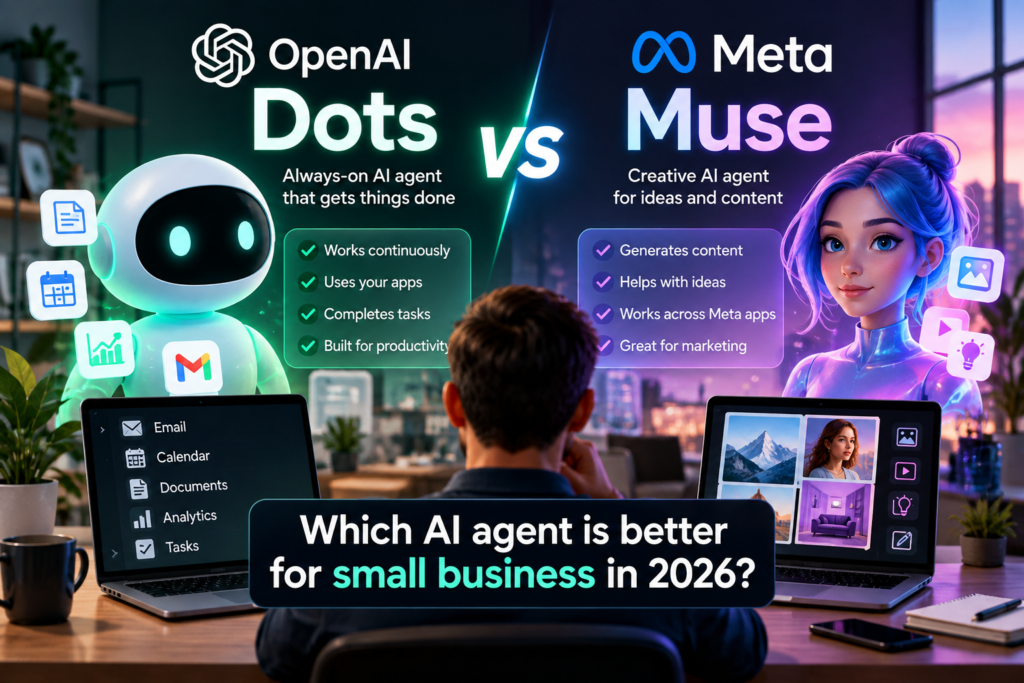
OpenAI and Meta are pushing AI assistants into a new phase: agents that do not just answer questions, but keep working across apps, projects, and recurring tasks.
On September 29, 2026, OpenAI introduced dots, persistent agents inside ChatGPT. Around the same time, Meta expanded Muse directly toward small businesses, adding integrations with tools such as Shopify, Slack, Canva, QuickBooks, Notion, Stripe, and Meta’s own business products.
For a small business owner, the interesting question is no longer “Which chatbot writes better?” It is: Which agent can take useful work off my plate without creating more supervision, cost, or risk?
This comparison focuses on that practical question.
OpenAI Dots vs Meta Muse: the short version
| Area | OpenAI Dots | Meta Muse |
|---|---|---|
| Core idea | Persistent ChatGPT agent with its own cloud computer | Personal AI agent extended into business workflows |
| Best fit | Knowledge work, projects, connected apps, ongoing responsibilities | Marketing, commerce, customer context, social and business operations |
| Business integrations | Connected apps available in ChatGPT; availability varies by plan and workspace | Shopify, Slack, Canva, QuickBooks, Notion, Stripe, Meta business accounts and more |
| Autonomy | Can continue making progress between conversations and return for review | Can work proactively and surface ideas, drafts, and tasks |
| Control model | App permissions, workspace controls, approval rules, custom dot rules where available | Meta says nothing publishes, sends, or spends without user approval |
| Availability | Rolling out to eligible Pro, Business Premium, and Enterprise users, with regional limits | Muse is available in supported markets; Muse for Small Business is expanding its business capabilities |
What is an OpenAI dot?
OpenAI describes a dot as an always-on agent in ChatGPT that can take ongoing responsibility and continue making progress between conversations. It is powered by GPT-6 Astra, has its own cloud computer, and can work across apps you choose to connect.
That is an important distinction from a normal chat. A regular AI conversation is usually reactive: you ask, it answers. A dot is meant to keep a goal or responsibility alive over time.
For example, a small business could potentially give a dot an ongoing job such as:
- Reviewing project updates and preparing a daily summary
- Tracking open tasks across connected tools
- Researching competitors and organizing findings
- Preparing drafts for email, reports, or content
- Following recurring operational workflows
OpenAI says the dot can work through complex problems, decide what needs to happen next, and bring results back when human judgment is needed.
This direction also fits the broader shift toward agentic workflows we discussed in our AI tools for small business workflow guide.
What is Meta Muse for Small Business?
Meta launched Muse as a personal AI agent earlier in September. The company then expanded it toward small businesses with a much more explicit business proposition: connect Muse to the tools where the business already operates and let the agent work with that context.
Meta says Muse can connect to tools including:
- Shopify
- Slack
- Canva
- Dropbox
- QuickBooks
- Notion
- Stripe
- Zoom
- Facebook Pages
- Instagram professional account analytics
- Meta ad accounts
That gives Muse a particularly strong angle for businesses that already depend heavily on Meta platforms, ecommerce, marketing, and customer-facing operations.
Meta’s own examples include analyzing business performance, reviewing campaigns, drafting marketing plans, identifying unusual expenses, and surfacing email that needs attention.
If you want more background on how Muse works technically, see our explanation of why Meta gave Muse its own secure computer.
The biggest difference: where each agent starts
Dots and Muse increasingly overlap, but their starting points feel different.
OpenAI Dots starts from ChatGPT and knowledge work. It is designed as a persistent agent that can use a cloud computer, connected tools, and ongoing context to take responsibility for work.
Meta Muse starts from a personal agent plus Meta’s business ecosystem. Its small-business expansion emphasizes social accounts, advertising, storefronts, financial tools, customer context, and brand knowledge.
That difference matters because the best AI agent is often the one that already sits closest to the systems where your work happens.
Which one looks better for marketing and ecommerce?
For businesses that depend heavily on Instagram, Facebook, Shopify, paid social, and brand content, Muse currently has a very clear story.
Meta says Muse can connect directly to Instagram professional analytics, Facebook Pages, Meta ad accounts, ecommerce systems, and business tools. It can use that context to help analyze what is working and draft campaigns.
A small ecommerce brand could ask Muse to review sales, social performance, campaigns, and customer questions before proposing a plan for the next week.
That does not mean Dots cannot support marketing workflows. But Muse’s launch messaging and integrations are explicitly optimized around that use case.
Which one looks better for general business operations?
Dots may be especially interesting for businesses whose work is spread across documents, communication, research, project management, and recurring operational tasks.
The idea of assigning an ongoing responsibility is useful here. Instead of repeatedly prompting an assistant to “check what changed,” a persistent agent could keep the objective in context and return when something actually needs attention.
This is closer to having a digital operator than a question-answering chatbot.
For businesses already using ChatGPT heavily for research, planning, files, coding, or connected apps, Dots may also reduce the friction of moving to a separate AI environment.
Control and safety matter more with always-on agents
The more capable an agent becomes, the more important permissions become.
OpenAI’s connected-app system separates access from approvals. An app can only use the account and permissions that were actually connected, while ChatGPT settings can determine when read or action requests require approval. Enterprise workspaces can also restrict dot capabilities, connected apps, local computer access, and custom rules.
Meta similarly emphasizes user approval. In its Muse for Small Business announcement, the company says nothing publishes, sends, or spends without approval.
That distinction is important for small businesses. A useful agent should automate preparation and routine execution without silently turning every suggestion into an irreversible business action.
Before granting broad access to either platform, review what data is connected, what actions are allowed, and which actions still require confirmation.
A realistic small-business test
Imagine a small online store with a Shopify catalog, Instagram account, email, bookkeeping software, a content calendar, and a few contractors.
Here is how the same goal could look with each system:
With Muse
You could ask it to analyze recent sales, Instagram performance, ad results, and customer questions, then draft next week’s campaign and identify weak-performing products. Its direct Meta and commerce integrations make that workflow a natural fit.
With a dot
You could assign an ongoing responsibility such as monitoring the weekly launch plan, gathering updates from connected tools, preparing research, organizing tasks, and returning with a concise action list whenever decisions are needed.
The difference is subtle but useful: Muse currently looks especially strong when the business is centered on customers, commerce, and Meta channels; Dots looks especially strong when the workflow is broader and knowledge-work heavy.
What about price?
Meta says Muse for Small Business is free for most usage with limits, with subscription plans available for people who need more.
OpenAI says dots are rolling out to eligible ChatGPT Pro, Business Premium, and Enterprise users. OpenAI is temporarily excluding dots usage from eligible plan allowances during the initial rollout period, but longer-term usage terms are still being finalized.
That means a precise cost-per-business comparison would be premature today. Businesses should evaluate the agent based on the software they already pay for and the amount of useful work it can actually remove.
Availability may decide before features do
Dots are rolling out gradually. OpenAI says Pro access initially excludes the European Economic Area, Switzerland, and the UK, while Business Premium availability covers supported ChatGPT regions and Enterprise access begins as an admin-enabled beta.
Muse availability also depends on market access and rollout. So even if one platform looks stronger on paper, the practical choice may simply be whichever one is available to your business and connected to the tools you already use.
So which should a small business try first?
There is no universal winner yet because the products are still evolving rapidly.
Consider OpenAI Dots first if:
- You already use ChatGPT heavily for work
- Your workflows involve research, documents, projects, coding, or multiple connected apps
- You want an agent to hold an ongoing responsibility over time
- You value a general-purpose agent that can span many kinds of work
Consider Meta Muse first if:
- Your business depends heavily on Instagram, Facebook, Meta ads, or ecommerce
- You want marketing and customer context inside the agent
- You already use tools such as Shopify, Canva, QuickBooks, Stripe, or Meta’s business products
- You want an agent positioned specifically around running and growing a small business
For a broader checklist before choosing any AI platform, read How to Choose an AI Tool for Your Small Business.
The more important question
The Dots-versus-Muse competition shows where AI products are heading.
The next battle is not simply about which model gives the smartest answer. It is about which agent can safely hold context, use business tools, keep working between conversations, and know when to bring a human back into the loop.
For small businesses, that could be far more important than benchmark scores.
The winning agent will not necessarily be the one with the most features. It may be the one that reliably saves an owner several hours every week without creating a new layer of complexity.
Related Meta Muse coverage
- Why Meta gave Muse its own secure computer
- How Muse shops with Stripe Link
- Meta’s human-concierge experiment
- Why Muse is bigger than one device
Sources:
OpenAI — Getting started with your dot ·
OpenAI — Connected apps in ChatGPT ·
Meta — Muse for Small Business ·
Meta — Introducing Muse ·
Reuters — OpenAI launches Dots